
ai / warp
Warp is a terminal rebuilt around AI agents. I use it as my primary terminal for software development.
How I got here
My AI coding progression has been:
- No AI: just me and Vim.
- ChatGPT in browser: I'd prompt the LLM in the browser, then copy-paste code into my editor.
- AI chat in Vim: I'd type
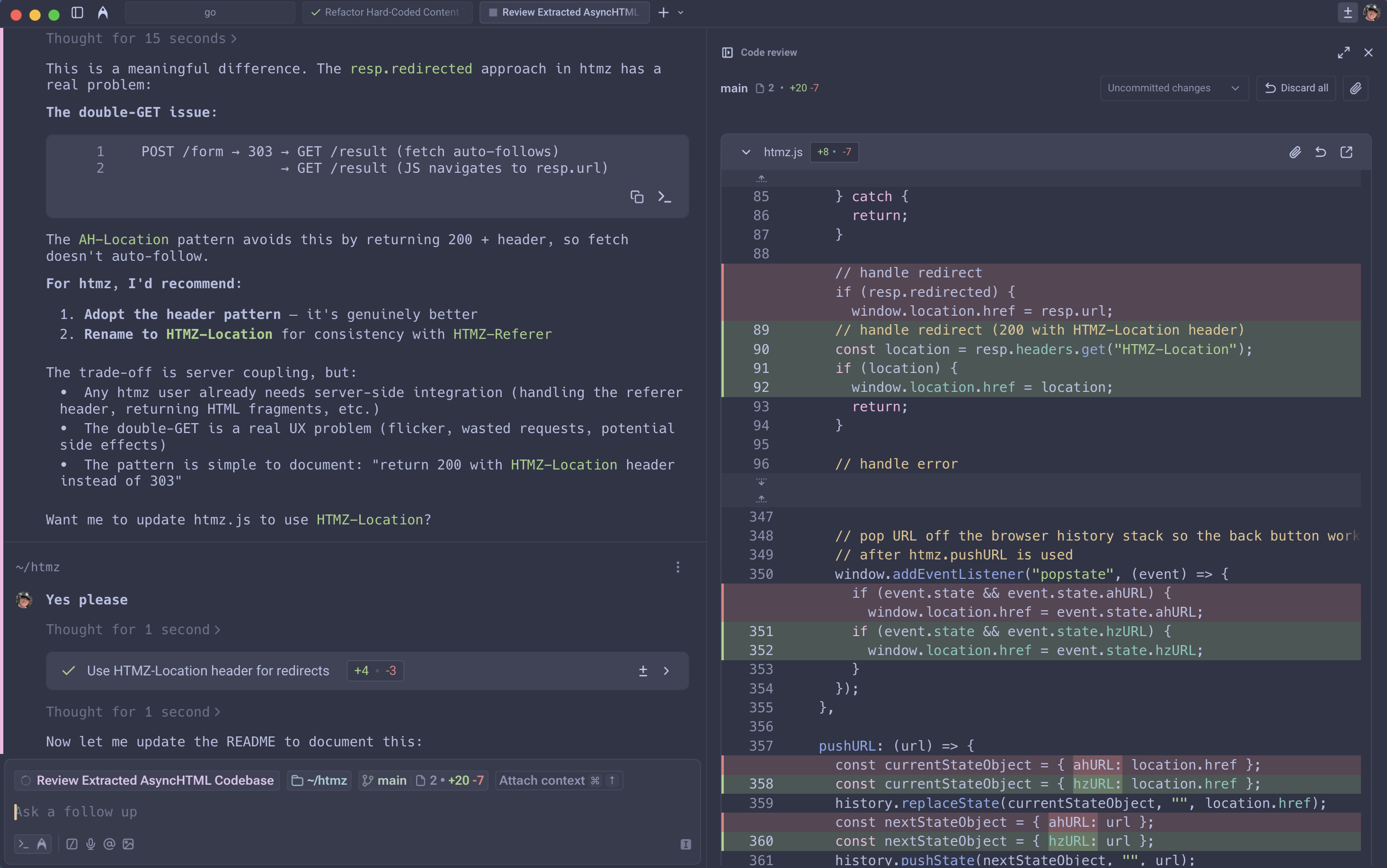
<Leader>rin Vim to pipe the current buffer's Markdown prompt through mdembed and mods. The result would display in a vertical split and I'd yank code into files. - AI agent in terminal: I now prompt the Warp agent from the command line, which applies edits directly to files. I review in a diff view. The feedback loop is much tighter.
Why a terminal and not IDE
I'm a long-time Vim user and don't want to give up my editor for an AI IDE like Cursor or Zed.
I was using Ghostty before Warp. Ghostty is excellent (fast, native, by Mitchell Hashimoto) but it's not trying to be an AI tool.
Why a terminal and not a CLI
Claude Code, Amp, and other AI CLI tools are popular but lack UI affordances that make me feel especially productive in Warp.
Some things are nicer with a native UI:
- Reviewing diffs inline with point-and-click to accept or reject hunks
- Seeing the agent's task list
- Switching between prompting and normal shell
Some things aren't possible in a raw CLI:
- Hold a key to speak to the agent via voice transcription
- Drag a screenshot into the prompt
What I've built with Warp
- cmd / cibot: a self-hosted CI tool for private GitHub repos
- cmd / procman: a process manager
- cmd / tun: a reverse tunnel
- games / duck duck bay: a puzzle game
- games / launchpad: a vertical platformer game
- ruby / job queues: a background job processing system
- ruby / test: a test runner
- ruby / web framework: a web framework
Plans
I pay for an Enterprise plan at work and a Build plan at home. The free plan can give you a taste.