
apps / sports
sports.dancroak.com is a scoreboard and a news reader. I built it with Instinct (invite code), a personal AI assistant, using text messages.
What it shows
The front page lists games across football, baseball, hockey, soccer, and golf. Each row shows teams, score or start time, and a win probability from Kalshi market prices. A green dot marks a live game. A gray dot and "Final" mark a finished game.
A game page displays a probability chart, a timeline, and a written summary. The summary updates when key events occur, such as goals or penalties. Final games include US highlight videos and recap text. Team and venue pages include summaries and standings.
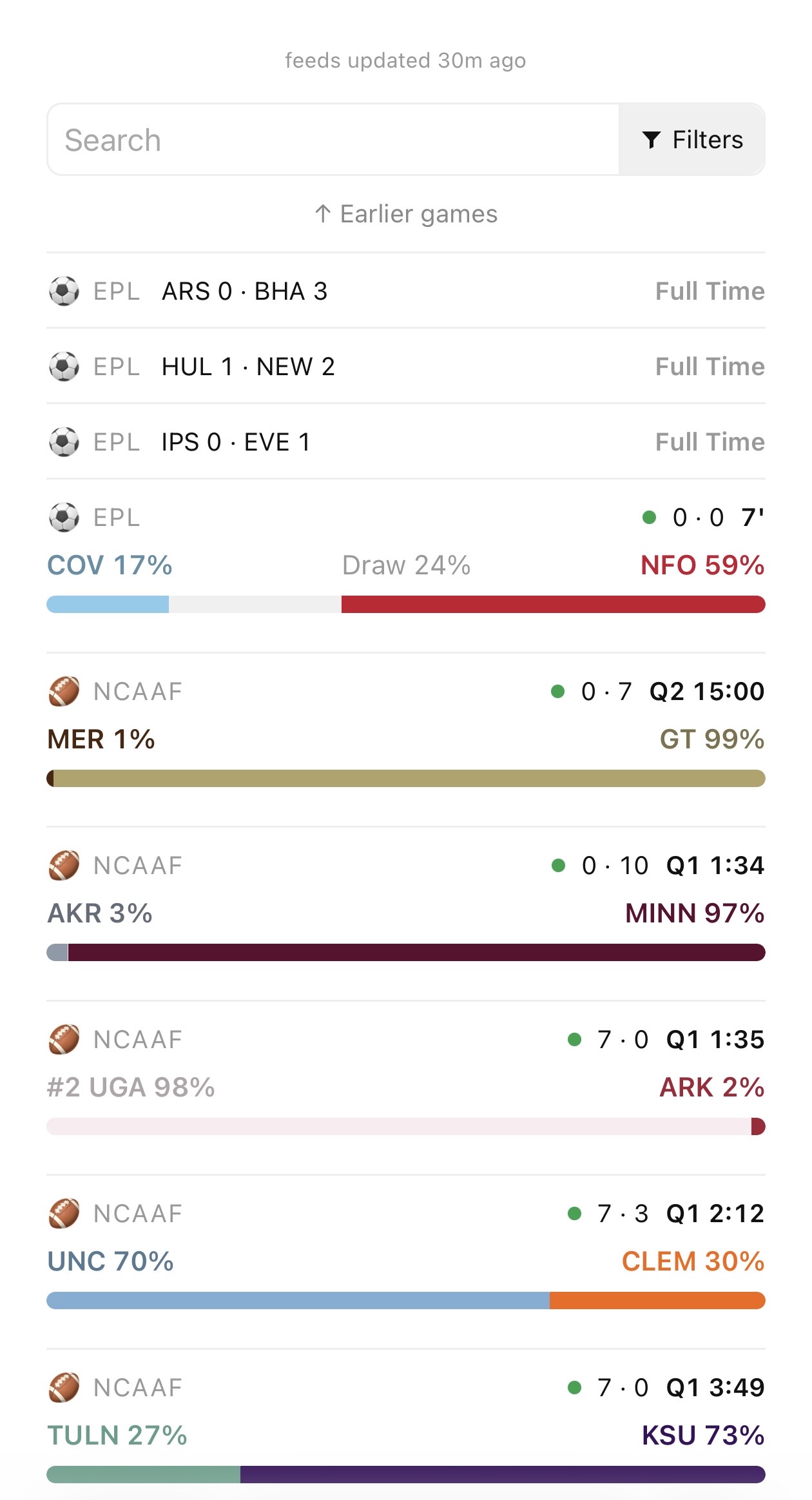
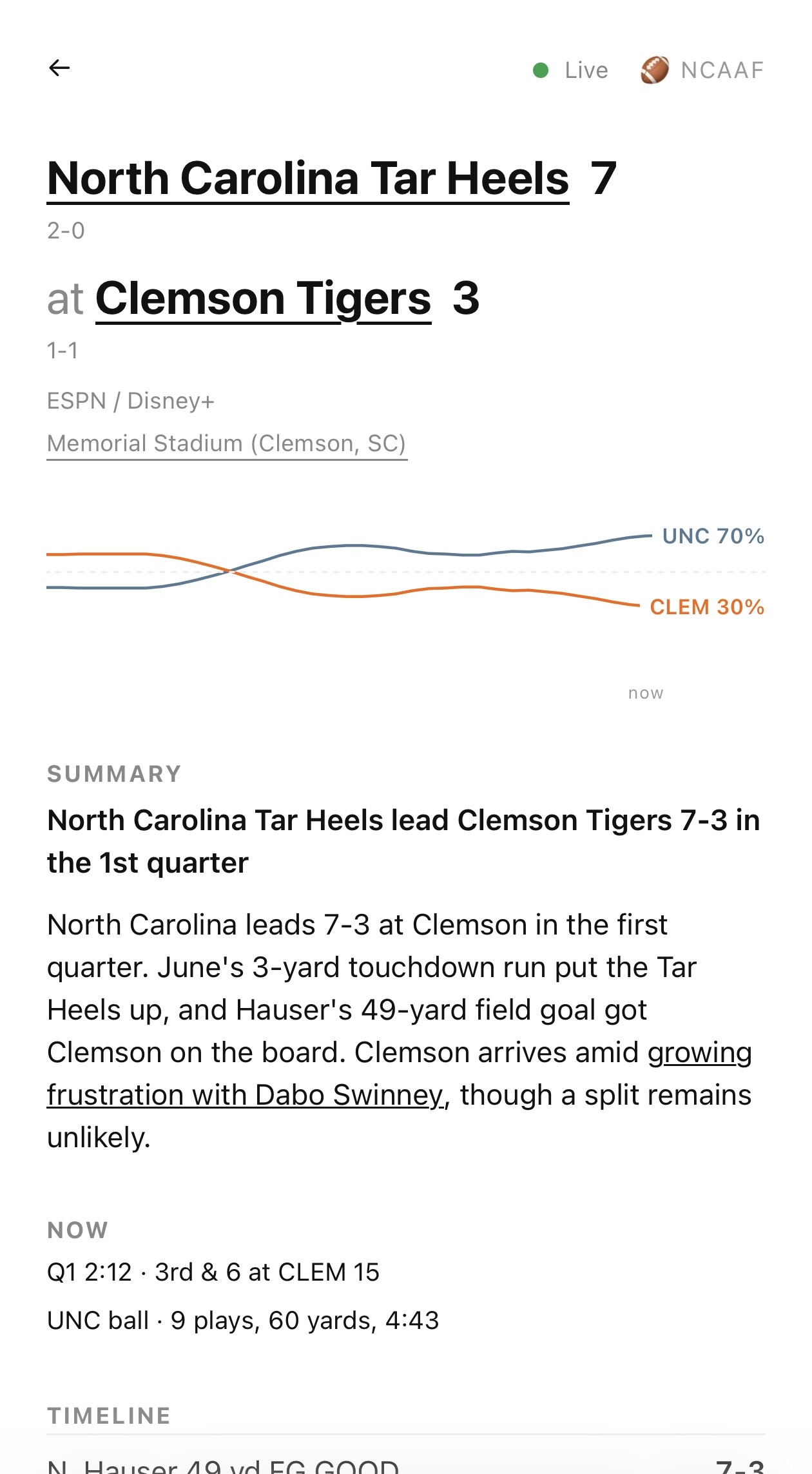
A second page displays sports news from RSS feeds.
Text messages as the interface
I directed the build over iMessage. I sent screenshots when a layout needed changes. The assistant edited templates and deployed updates.
I made product decisions, such as removing clutter and setting tap targets. The assistant made implementation choices. I inspect screenshots and the live site rather than code diffs.
A second agent writes the content
A separate content agent writes game, team, league, and venue summaries.
The content agent scrapes web sources and saves articles as JSON. The app computes a needs list of entities whose source articles changed. The agent reads the list, generates summaries, and saves them through commands in the Go binary:
var commands = map[string]func(db *sql.DB){
	"-ingest":             locked("ingest", cmdIngest),
	"-live-summary-tick":  locked("live-summary-tick", cmdLiveTick),
	"-game-summary":       cmdGameSummary,
	"-game-summary-needs": func(db *sql.DB) { refreshOrExit(); printJSON(nonNil(gameSummaryNeeds(db))) },
	"-league-summary":     cmdLeagueSummary,
	"-team-summary":       cmdTeamSummary,
	"-venue-summary":      cmdVenueSummary,
}
What autonomous operation needs
- Network access. The assistant runs in an ephemeral sandbox. It connects to the VMs over SSH. My vault holds the ed25519 private key. After each sandbox reset, the assistant reads the key from the vault and reconnects. I take no action.
- Host permissions. The assistant has passwordless
sudoon the VMs. It installs packages and restarts services without my intervention. - Persistent state. The sandbox resets about once a day. Sockeye keeps the source. Postgres keeps the data. The VMs keep the units, the Caddyfile, and the crontab.
- External revocation. I can revoke access by closing SSH in the cloud firewall, revoking the R2 API token, or terminating a VM. The R2 token accepts requests from the VM addresses only.
Access controls
Each control that revokes the assistant resides in a console that I
hold, not on the host where the assistant has sudo.
An assistant works toward the goal I give it. I design the access controls myself to prevent unbounded privileges.
The stack
Code runs in four places. A guest on dc-uni-2 serves the site and runs the jobs. Postgres on dc-db holds the data. dc-vm holds the edge and the cron jobs. The sandbox of the assistant drives the work and keeps nothing. External services supply the scores, the market lines, and the news.
A scheduler wakes the sandbox on a timer. The scrapers in the sandbox drive a remote Chrome session. A source that needs a real browser also needs cookies, and the vault holds those cookies. The summary worker calls the Go binary on dc-vm over SSH, and the binary saves the summary. The sandbox never touches the database.
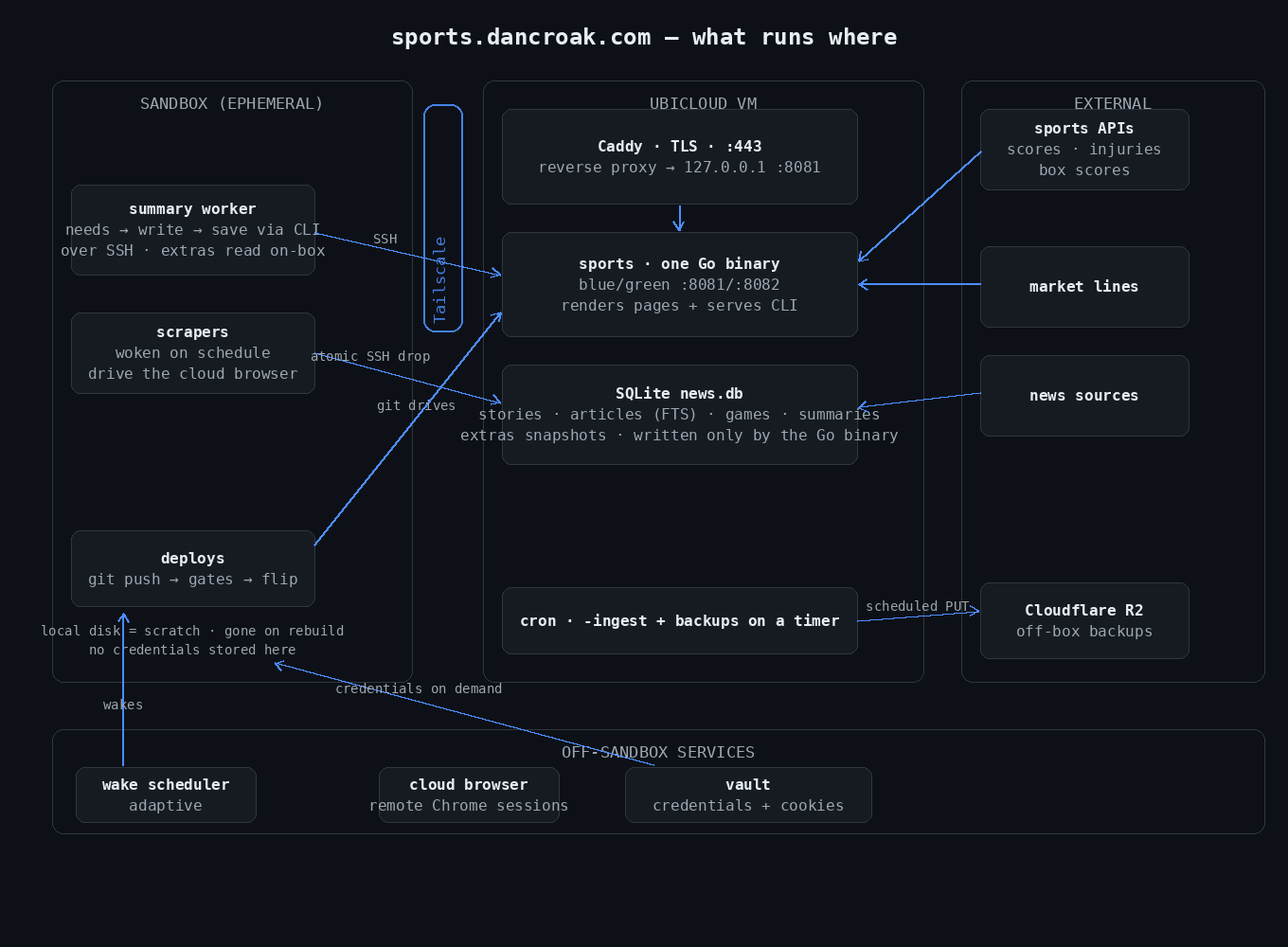
The application is one Go binary with hml templates. It runs as a uni guest: a unikernel with no operating system and no disk. In-memory caches keep upstream API calls off the request path.
The server streams score updates to browsers over Server-Sent Events (SSE):
func (h *handler) serveWake(w http.ResponseWriter, r *http.Request) {
	fl, ok := w.(http.Flusher)
	if !ok {
		http.Error(w, "streaming unsupported", 500)
		return
	}
	w.Header().Set("Content-Type", "text/event-stream")
	w.Header().Set("Cache-Control", "no-cache, no-store, no-transform")
	ch := wakeSubscribe()
	defer wakeUnsubscribe(ch)
	_, _ = io.WriteString(w, ": connected\n\n")
	fl.Flush()
	for {
		select {
		case <-r.Context().Done():
			return
		case <-h.stop:
			return
		case <-ch:
			_, _ = io.WriteString(w, "data: wake\n\n")
			fl.Flush()
		}
	}
}
Caddy on dc-vm terminates TLS and proxies traffic to the guest:
sports.dancroak.com {
        reverse_proxy 10.64.145.220:80
}
The data lives in Postgres on dc-db, so the guest holds no state. A guest that finds a state it cannot trust exits, and a watchdog on dc-uni-2 boots it again.
The VMs
The VMs run on Ubicloud. A sandbox that resets cannot host a service that must stay up. Why a VM and not a PaaS: web / hosting.
The firewall permits ingress on ports 22, 80, and 443. sshd accepts public keys only. It rejects passwords and root logins.
Sockeye, my code host, holds the source of truth and runs the
checks. A merge there deploys. A hook on dc-vm builds the guest on dc-uni-2,
boots it, and checks /healthz and the home page. A failed check puts the
previous guest back. The hook then moves the dc-vm checkout to the same
commit, and sockeye records the deploy. The guest is one process, so a deploy
restarts it and the site is down for a few seconds.
Postgres has hourly backups on dc-db. A second copy goes off the box. An
hourly cron job on dc-vm takes a pg_dump and bundles the git repositories.
It pushes the changed files to Cloudflare R2. Tiered prefixes and bucket
lifecycle rules expire the old copies, so off-box storage holds steady at a
few GB. A small Go CLI signs the S3 requests, so the VM needs no
AWS SDK.
If a VM fails, I provision a new instance and fetch the most recent bundle and dump. Then I clone the bundle and restore the database.
Operations
The board footer reports feed freshness and backup health, so a failed ingest reads as a failure rather than as a quiet news day.
The assistant runs the scheduled health checks. I want it to catch the failure I did not think to check for.
- A watchdog on dc-uni-2 boots the guest again when its process exits.
- A probe on dc-vm requests the public site every minute and records the result in an uptime database. The database syncs to R2 daily. So the availability number comes from these checks.
- A rehearsal on dc-vm restores the newest database dump and git bundle from R2 each Wednesday.